

Command Line Tools
wheels generate - commands
wheels generate - commands
Section titled “wheels generate - commands”These are the commands in the wheels generate namespace. These commands are called by some of
the top level commands but you can use them directly to speed up your development process.
wheels generate
Section titled “wheels generate”The wheels generate command is what CommandBox calls a namespace and contains many sub commands beneath it. It’s main purpose is to isolate those sub commands so there is no name collisions. It also has an alias of wheels g which allows you to shorten the commands you have to type. However, we have opted to show all the commands with their full names in the list below.
wheels generate app-wizard
Section titled “wheels generate app-wizard”Creates a new CFWheels application using our wizard to gather all the necessary information. This is the recommended route to start a new application.
This command will ask for:
- An Application Name (a new directory will be created with this name)
- Template to use
- A reload Password
- A datasource name
- What local cfengine you want to run
- If using Lucee, do you want to setup a local h2 dev database
- Do you want to initialize the app as a ForgeBox module
wheels newwheels g app-wizardwheels generate app-wizardAll these three commands are equivalent and will call the same wizard. The wizard in turn gathers all the required data and passes it all off to the wheels generate app command to do all the heavy lifting.
Let’s take a look at the wizard pages after issuing the wheels new command:
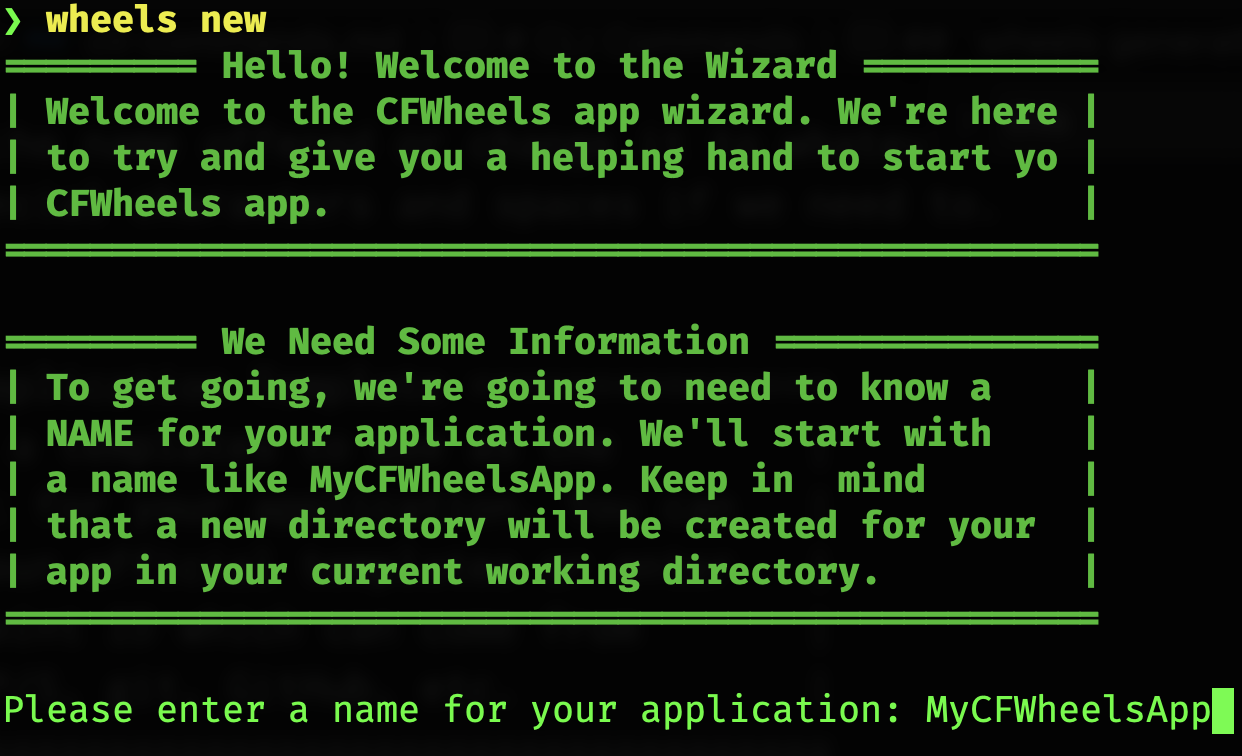
You can accept the name offered or change it to whatever name you like. We try to clean up the name and take out special characters and spaces if we need to.
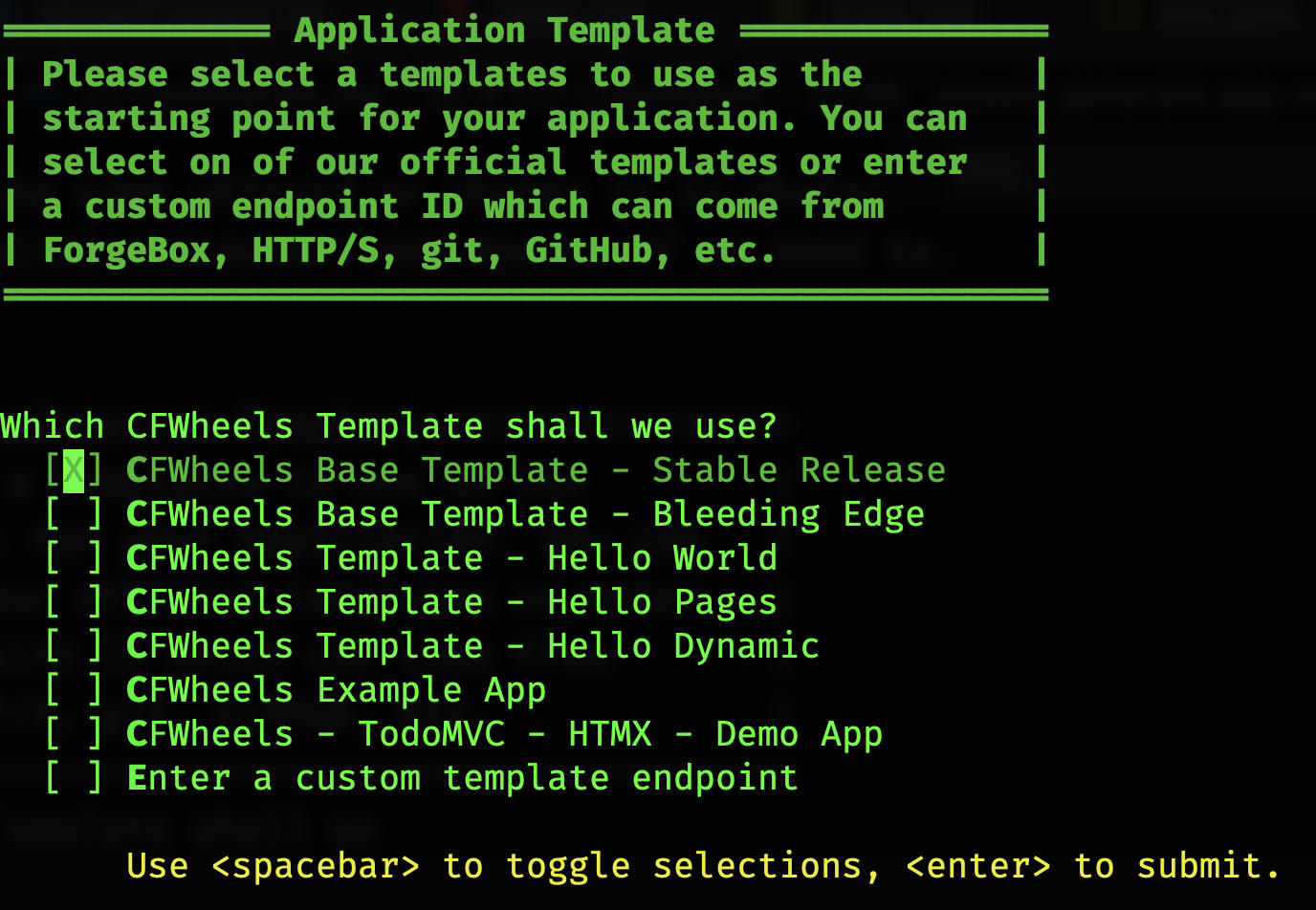
You can select a template to use. If you are reading this before CFWheels 2.4 is released you may want to select the Bleeding Edge Base Template.
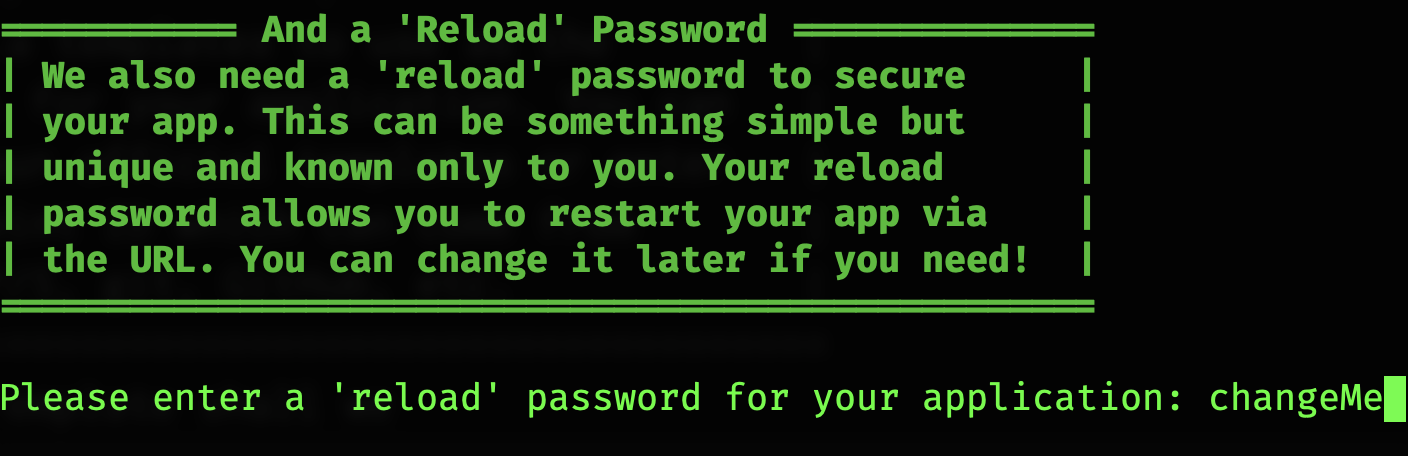
You can set what you want to use as your reload password or accept the default. Please make sure to change this before you go into production. Ideally this should be kept out of your source repository by using something like the (CFWheels DotEnvSettings Plugin)[https://www.forgebox.io/view/cfwheels-dotenvsettings].
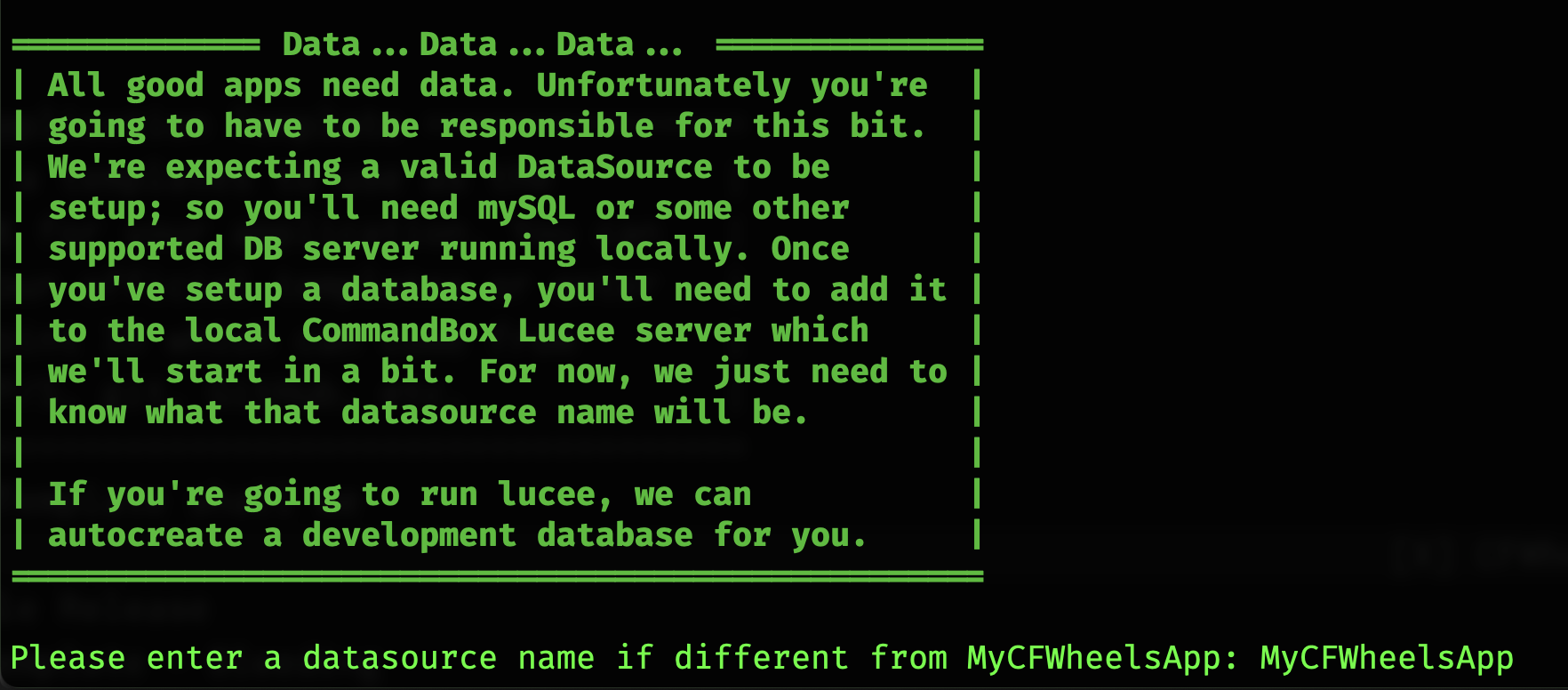
The datasource is something you’ll have to take care of unless you opt to use the H2 Embedded database in a Lucee server. Here you can define the datasource name if you would like to use something different than the application name.
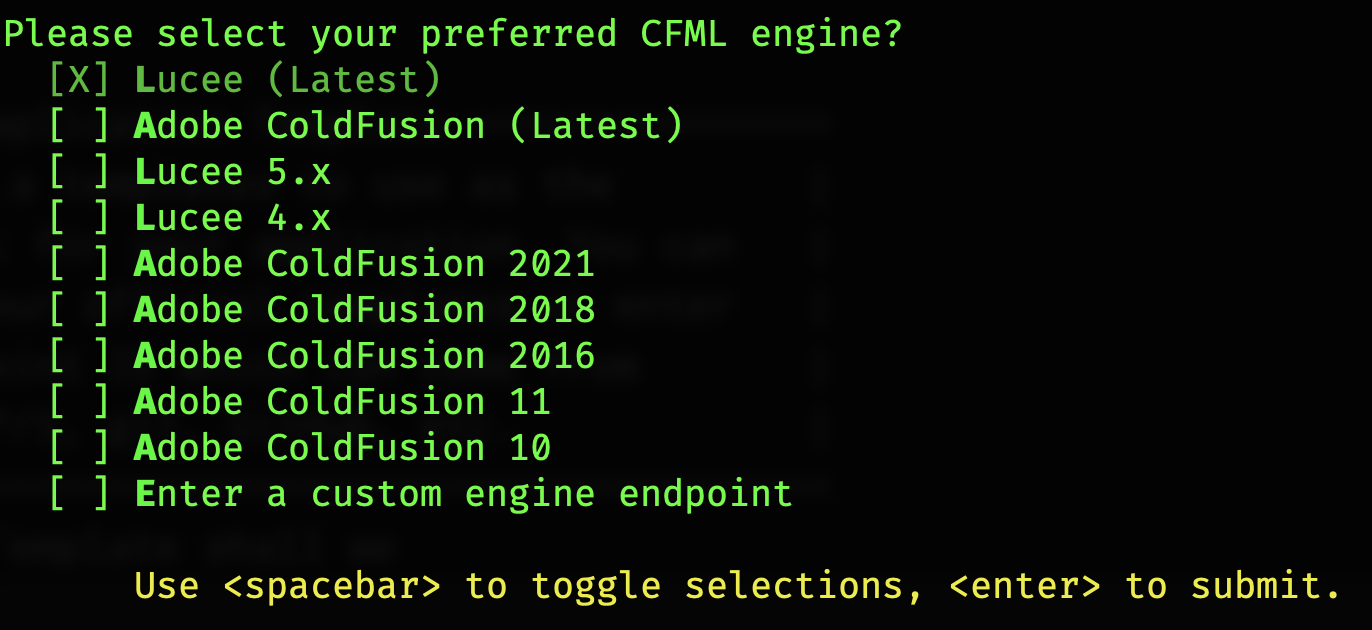
In this step you can choose what CF Engine and version to launch. Lucee has an embedded SQL compliant database server called H2. So if you use one of the Lucee options you can specify to use the H2 database as well. Notice the last item allows you to specify the module slug or URI to a CF Engine not on the list.

On this step you are asked if you’d like to use the H2 Database, in which case we can set everything up for you, or if you would prefer to use another database engine and will take care of setting up the database yourself.

On this last step, you are asked if you want us to include a box.json file so you can eventually submit this to ForgeBox.io for sharing with he world.
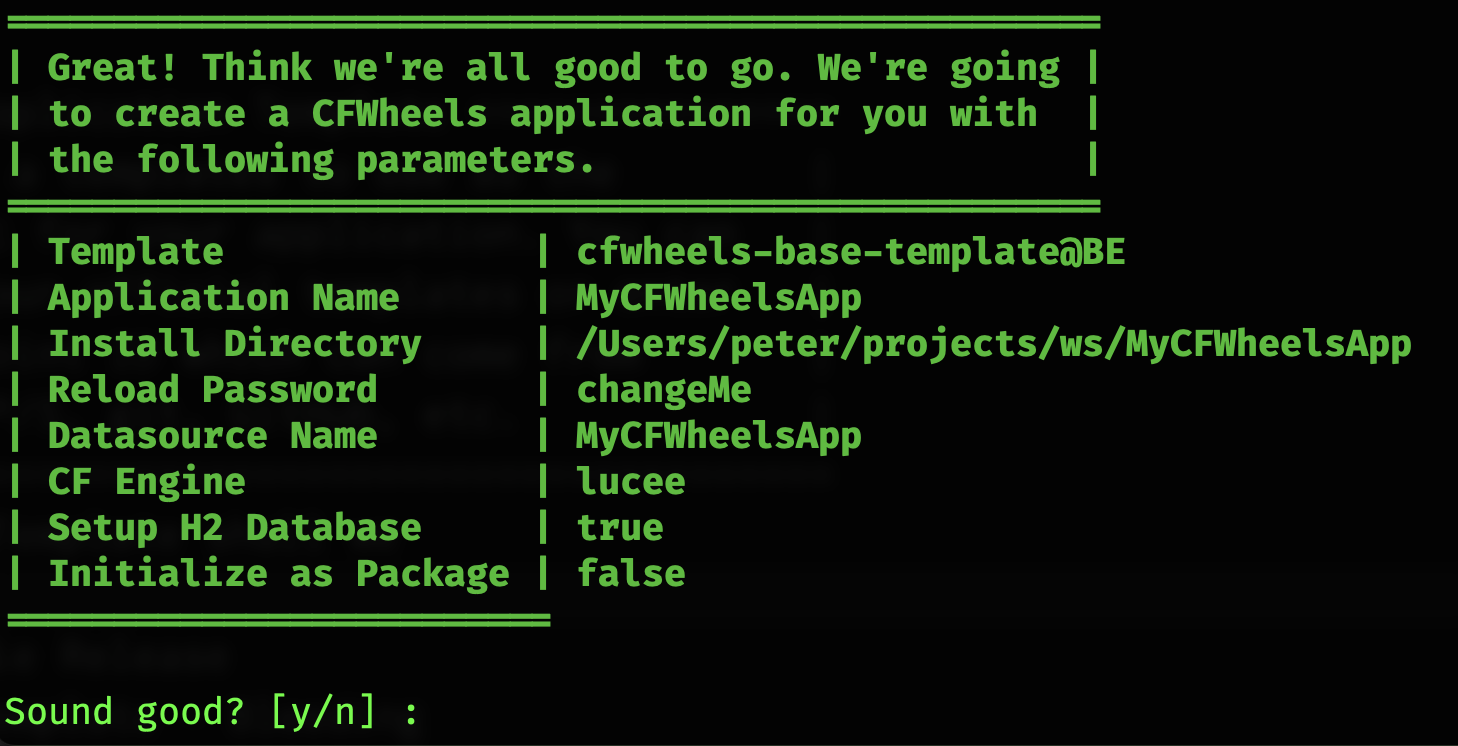
This is the confirmation screen that shows all the choices you’ve made and gives you one last chance to bail out. If you choose to continue, the choices you’ve made will be sent over to the wheels g app command to do the actual app creation.
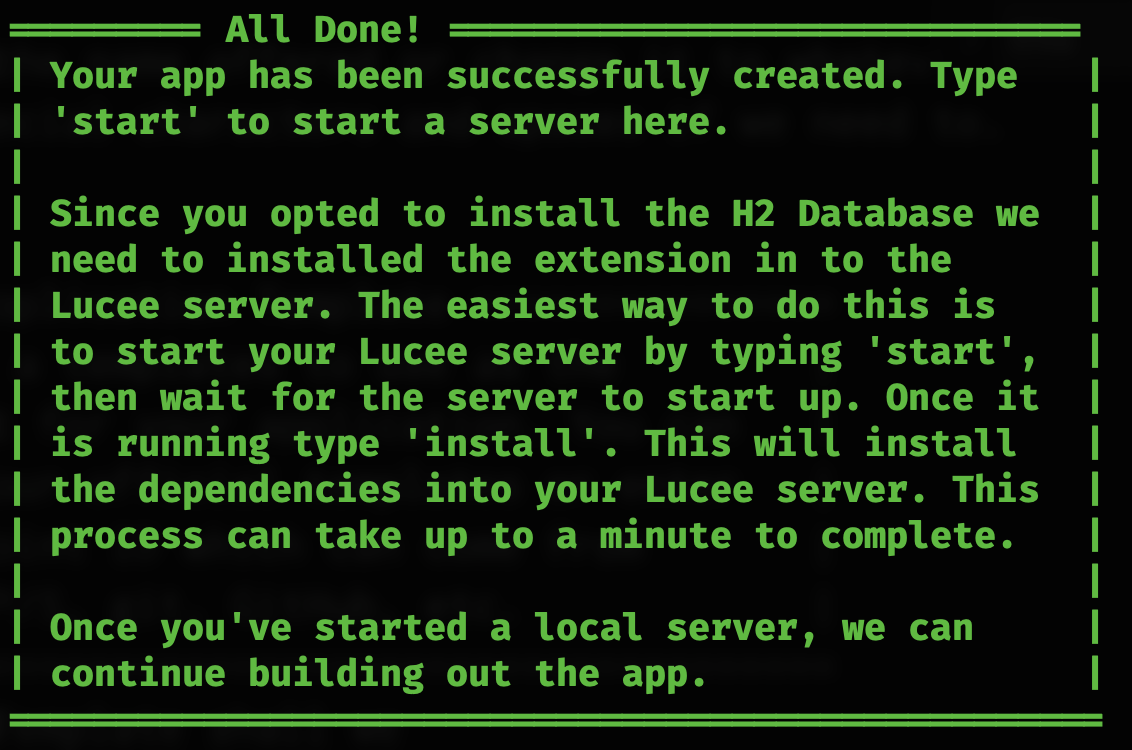
If you opted to continue you’ll see a bunch of things scroll across your screen as the various items are downloaded and configured. Eventually you will see this status screen letting you know that everything was installed properly.
wheels generate app
Section titled “wheels generate app”Create a blank CFWheels app from one of our app templates or a template using a valid Endpoint ID which can come from ForgeBox, HTTP/S, git, github, etc.
By default an app named MyCFWheelsApp will be created in a sub directory called MyCFWheelsApp.
The most basic call…
wheels generate appThis can be shortened to…
wheels g appHere are the basic templates that are available for you that come from ForgeBox
- CFWheels Base Template - Stable (default)
- CFWheels Base Template - Bleeding Edge
- CFWheels Template - HelloWorld
- CFWheels Template - HelloDynamic
- CFWheels Template - HelloPages
- CFWheels Example App
- CFWheels - TodoMVC - HTMX - Demo App
wheels create app template=baseThe template parameter can also be any valid Endpoint ID, which includes a Git repo or HTTP URL pointing to a package. So you can use this to publish your own templates to use to start new projects.
wheels create app template=http://site.com/myCustomAppTemplate.zip| Parameter | Required | Default | Description |
|---|---|---|---|
| name | false | MyCFWheelsApp | The name of the app you want to create |
| template | false | base template | The name of the app template to use |
| directory | false | mycfwheelsapp/ | The directory to create the app in |
| reloadPassword | false | ChangeMe | The reload password to set for the app |
| datasourceName | false | MyCFWheelsApp | The datasource name to set for the app |
| cfmlEngine | false | Lucee | The CFML engine to use for the app |
| setupH2 | false | false | Setup the H2 database for development |
| init | false | false | “init” the directory as a package if it isn’t already |
| force | false | false | Force installation into an none empty directory |
wheels generate route
Section titled “wheels generate route”Adds a default resources Route to the routes table. All the normal CRUD routes are automatically added.
wheels generate route [objectname]| Parameter | Required | Default | Description |
|---|---|---|---|
| objectname | true | The name of the resource to add to the routes table |
wheels generate controller
Section titled “wheels generate controller”I generate a controller in the controllers/ directory. You can either pass in a list of actions to stub out or the standard CRUD methods will be generated.
Create a user controller with full CRUD methods
wheels generate controller userCreate a user object with just “index” and “customaction” methods
wheels generate controller user index,customaction| Parameter | Required | Default | Description |
|---|---|---|---|
| name | true | Name of the controller to create without the .cfc | |
| actionList | false | optional list of actions, comma delimited | |
| directory | false | if for some reason you don’t have your controllers in controllers/ |
wheels generate model
Section titled “wheels generate model”This command generates a model in the models/ folder and creates the associated DB Table using migrations.
Create “users” table and “User.cfc” in models:
wheels generate model userCreate just “User.cfc” in models:
wheels generate model user false| Parameter | Required | Default | Description |
|---|---|---|---|
| name | true | Name of the model to create without the .cfc: assumes singular | |
| db | false | Boolean attribute specifying if the database table should be generated as well |
wheels generate property
Section titled “wheels generate property”This command generates a dbmigration file to add a property to an object and scaffold into _form.cfm and show.cfm if they exist (i.e, wheels generate property table columnName columnType).
Create the a string/textField property called firstname on the User model:
wheels generate property user firstnameCreate a boolean/Checkbox property called isActive on the User model with a default of 0:
wheels generate property user isActive booleanCreate a boolean/Checkbox property called hasActivated on the User model with a default of 1 (i.e, true):
wheels generate property user isActive boolean 1Create a datetime/datetimepicker property called lastloggedin on the User model:
wheels generate property user lastloggedin datetimeAll columnType options: biginteger,binary,boolean,date,datetime,decimal,float,integer,string,limit,text,time,timestamp,uuid
| Parameter | Required | Default | Description |
|---|---|---|---|
| name | true | Table Name | |
| columnName | false | Name of Column | |
| columnType | false | Type of Column on of biginteger, binary, boolean, date, datetime, decimal, float,integer, string, limit, text, time, timestamp, uuid | |
| default | false | Default Value for column | |
| null | false | Whether to allow null values | |
| limit | false | character or integer size limit for column | |
| precision | false | precision value for decimal columns, i.e. number of digits the column can hold | |
| scale | false | scale value for decimal columns, i.e. number of digits that can be placed to the right of the decimal point (must be less than or equal to precision) |
wheels generate view
Section titled “wheels generate view”This command generates a view file in the views/ directory when specifying the object name and the action. If a directory for the object does not exist a subdirectory will be created in the views/ directory and the action NAME.cfm file place into it.
Create a default file called show.cfm without a template
wheels generate view user showCreate a default file called show.cfm using the default CRUD template
wheels generate view user show crud/show| Parameter | Required | Default | Description |
|---|---|---|---|
| objectname | true | View path folder, i.e user | |
| name | true | Name of the file to create, i.e, edit | |
| template | false | template (used in Scaffolding) - options crud/_form,crud/edit,crud/index,crud/new,crud/show |
wheels generate test
Section titled “wheels generate test”This command generates a test stub in /test/TYPE/NAME.cfc.
wheels generate test model userwheels generate test controller userswheels generate test view users edit| Parameter | Required | Default | Description |
|---|---|---|---|
| type | true | Type of test to generate. Options are model, controller, and view | |
| objectname | true | View path folder or name of object, i.e user | |
| name | true | Name of the action/view |