

Displaying Views To Users
Localization
Localization
Section titled “Localization”{% hint style=“info” %}
Work in progress
Section titled “Work in progress”This chapter is still being constructed… {% endhint %}
Page Encoding Issues
Section titled “Page Encoding Issues”Generally speaking, if you try and add Unicode characters such as umlauts into templates, you may well come across display issues. This is easily fixable, but requires one of the following:
- For the template.cfm file to be saved in the correct encoding for the language being displayed
- Or use of the
cfprocessingdirectivetag to setpageEncoding
Using cfprocessingdirective
Section titled “Using cfprocessingdirective”<h1>Über uns</h1>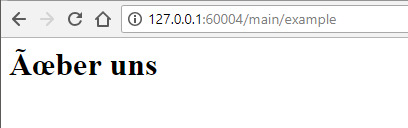
Incorrect encoding example
<cfprocessingdirective pageEncoding="utf-8"><h1>Über uns</h1>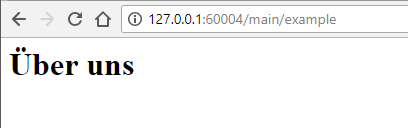
Correct encoding
Likewise, umlauts in routes would need for the /config/routes.cfm file to have the correct encoding:
<cfprocessingdirective pageEncoding="utf-8"><cfscript> mapper() .get(name="about", pattern="/über-uns", to="pages##about") .root(to="wheels##wheels", method="get") .end();</cfscript>Using file encoding
Section titled “Using file encoding”If you’re actively trying to avoid the use of cfprocessingdirective, you can resave the template or route file with UTF-8-BOM. Your local text editor should provide this facility; here’s an example in Notepad++ (windows)
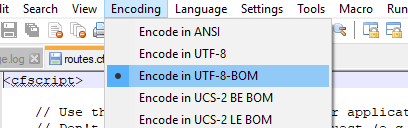
Localizing Wheels Helpers
Section titled “Localizing Wheels Helpers”// Example using monthNames args in dateSelect()
Coming soon